
Databases and DBMSs
A database is an organized collection of data designed for structured storage, search, and retrieval. A database management system (DBMS) is the software that creates, maintains, and queries it.
Choosing a database comes down to a handful of questions:
- What shape is the data — rigid rows and columns, or something more flexible?
- How will it be queried, and how fast does that query need to return?
- What transaction speed and volume does the workload demand?
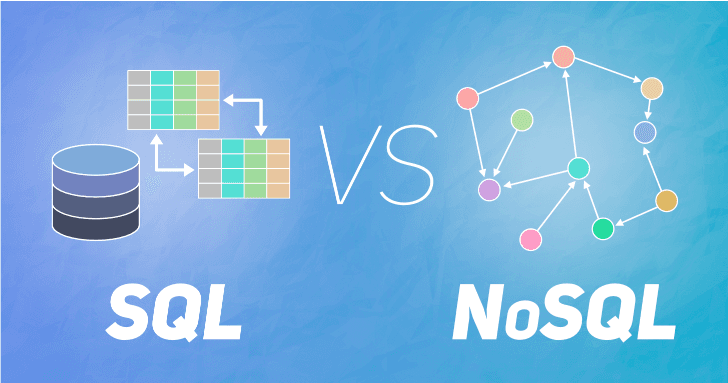
Databases split into two broad families: relational, which store data in linked tables with a fixed schema, and non-relational (NoSQL), which trade rigid structure for schema flexibility and horizontal scale.
Relational vs. NoSQL
| Relational (SQL) | NoSQL | |
|---|---|---|
| Schema | Fixed, defined up front | Flexible, schema-less |
| Query language | SQL | Varies by database |
| Scaling | Mostly vertical | Horizontal, built for it |
| Consistency | ACID-compliant | Often eventually consistent |
| Good for | Transactions, structured data | Big data, rapid iteration |
Relational engines range from open-source (MySQL, PostgreSQL) to commercial (Oracle, SQL Server, IBM Db2), and shine at OLTP workloads, data warehousing, and anywhere accuracy matters more than raw scale.
NoSQL splits into four common models:
- Key-value (Redis, DynamoDB) — sessions, caching, real-time recommendations
- Document (MongoDB, CouchDB) — flexible records for e-commerce, CRM, medical data
- Column-family (Cassandra, HBase) — heavy write loads, time-series and IoT data
- Graph (Neo4j) — modeling connections: social networks, fraud detection, recommendations
SQL fundamentals
Reading data:
SELECT column1, column2
FROM table_name
WHERE condition
ORDER BY column1 DESC;

SELECT column1, COUNT(*)
FROM table_name
GROUP BY column1
HAVING COUNT(*) > 1;
Combining tables:
SELECT o.id, c.name
FROM orders o
INNER JOIN customers c ON o.customer_id = c.id;
INNER JOIN keeps only matching rows; LEFT/RIGHT JOIN also keep unmatched rows from one side; FULL JOIN keeps everything from both.
Changing data:
INSERT INTO users (name, email) VALUES ('Ada', 'ada@example.com');
UPDATE users SET email = 'new@example.com' WHERE id = 1;
DELETE FROM users WHERE id = 1;
Changing structure (DDL):
CREATE TABLE users (id SERIAL PRIMARY KEY, name TEXT, email TEXT);
ALTER TABLE users ADD COLUMN active BOOLEAN DEFAULT true;
DROP TABLE users;
Django: the batteries-included framework
Django is an open-source Python web framework built around Model-View-Template (MVT):
- Model — defines data and business logic, mapped directly onto database tables
- View — decides what data to present
- Template — renders it as HTML, keeping presentation separate from logic
Its ORM lets you talk to the database without writing raw SQL:
class Article(models.Model):
    title = models.CharField(max_length=200)
    published = models.BooleanField(default=False)

Article.objects.create(title="Hello World")   # create
Article.objects.filter(published=True)        # read
Article.objects.get(id=1).save()              # update
Article.objects.get(id=1).delete()            # delete
Out of the box, Django also ships an auto-generated admin interface, session-based authentication and permissions, a built-in test runner, and defenses against XSS, CSRF, and SQL injection.
Deploying a Django app
Django's own runserver command is for local development only — production deployments front the app with a WSGI or ASGI-compliant server behind Apache or Nginx.
pip install gunicorn
gunicorn myproject.wsgi:application
From there, teams typically pick one of three paths:
- A manually configured virtual machine — full control, full responsibility
- A platform-as-a-service like Heroku — push to a git repo and it handles the rest
- A Docker container, run at scale with an orchestrator like Kubernetes
Django is database-agnostic — PostgreSQL, MySQL, MariaDB, Oracle, and SQLite are all supported, so the choice comes down to durability, scale, and hosting needs rather than framework compatibility.